Start Node
The start node is the first node in a workflow. It is the entry point for all processes.
Structure
The Start node is the initial node of every process. It serves as the single entry point—execution begins here as soon as a process instance is created. A Start node has no incoming connections and exactly one outgoing connection. Each process model can contain at most one Start node.
The Start node’s Options panel inside the editor lets you declare any number of input variables. Every variable defined here must be provided with a value when the workflow instance is launched. These variables are then available to all downstream nodes.
Launching a Workflow Instance
You can start a process instance in two ways. In both cases you must supply the input variables defined in the Start node.
-
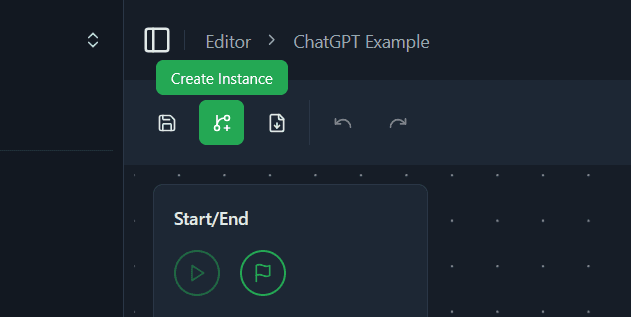
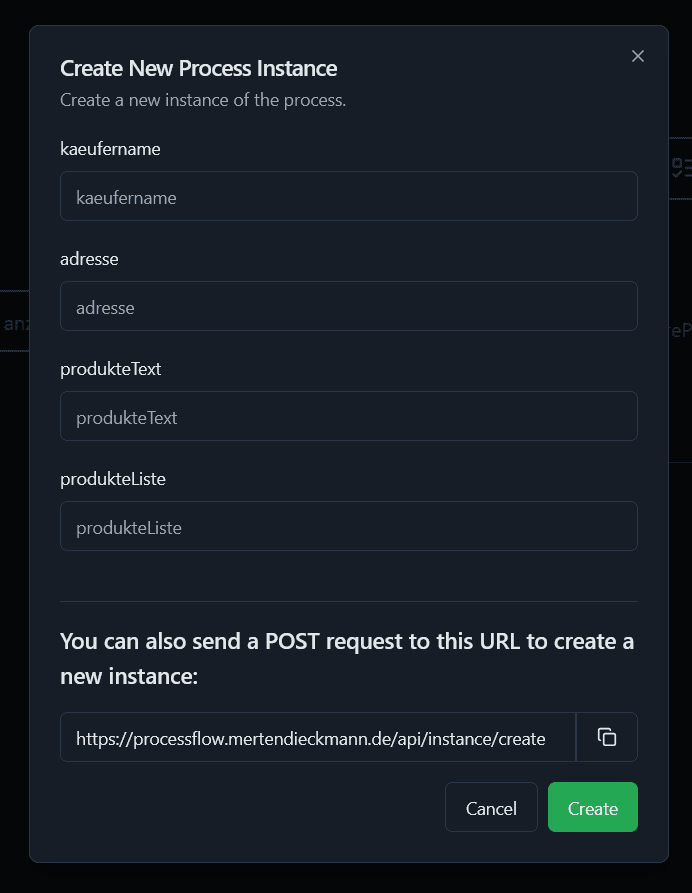
Manually via the UI – In the editor, click Create Instance. A dialog opens where you can enter the required input variables. The values you provide are passed to the newly created instance.
-
Via the API – You can also launch an instance by sending a
POSTrequest to the API endpoint shown in the dialog. The request body must include the input variables inside theinputsobject. TheprocessModelIdfield identifies the workflow you want to start.An example
curlrequest that starts the process with the ID68d83b73-5083-4e47-970b-053f9ed37a2band the input variablesaddressandcitylooks like this: